
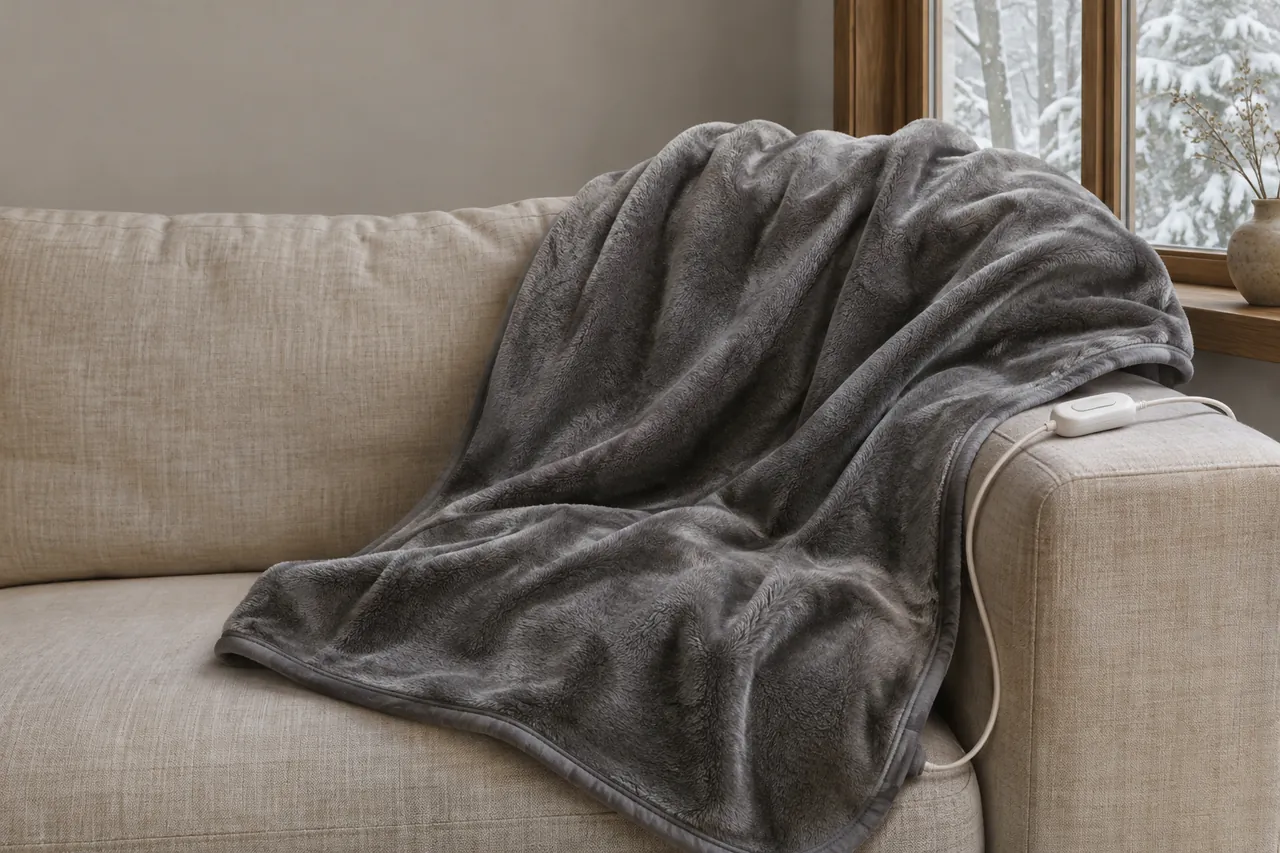
A heated blanket error calls for a simple first response: turn the controller off and unplug the power cord. Once the bedding is disconnected, look for visible damage and identify the model before interpreting a flashing light or code. A warning on one controller is not a universal diagnosis for every heated blanket.
Introduction
A flashing display can mean different things on different controls. Start with the label on your blanket, then use its instructions to decide whether a reset is appropriate. If the fabric, cord or controller shows damage, leave the blanket unplugged.
Before you look up a code
Write down the exact characters, whether the indicator is flashing, and the model information printed on the bedding label or controller. If there are two controllers, note which side displayed the warning. A photo of the label and display can make it easier to compare the information with the correct instructions after the product has been disconnected.
The Sunbeam FAQ illustrates why the model matters: it has separate guidance for several types of controller and for connected bedding. Its entries describe different reset procedures in different sections. Use the instructions attached to the device in front of you, and do not interpret a timer, app indicator or code from a different product as proof of the same fault.
If a label is missing or an instruction is unclear, leave the equipment unplugged. Do not open the controller or attempt to expose the heating element to investigate. A visual check is limited to the accessible fabric, cord, plug and connector, and should stop if damage is present.
Inspect the blanket while it is unplugged
Start with the outside of the product. You do not need to open the controller or the blanket to check for visible damage.
1. Turn it off and unplug it
Switch the controller off and unplug the power cord from the wall before checking a detachable connection or inspecting the product. Keep the device unplugged while you look for damage.
2. Look for visible damage
With the device unplugged, check only its accessible exterior:
Examine the Power Cord and Wall Plug: Check the full length of the flexible power cord leading from the wall outlet to the controller for signs of pinching, fraying, exposed copper, or cracked insulation. Inspect the wall plug blades for bending, discoloration, or scorch marks.
Inspect the Controller Module: Check the plastic controller housing for cracks, warped plastic, or heat discoloration.
Check the Fabric: Look for scorching, discoloration, melted fabric or visible damage. Do not open the blanket or expose internal wiring.
Burning Odor: If you noticed a burning smell during use, leave the device unplugged and stop using it.
If you find damaged wiring, a cracked housing, scorched fabric or a burning smell, stop the inspection and leave the appliance unplugged. Do not use damaged heated bedding.
3. Check detachable connections
If there is no visible damage, follow the instructions for your own model. For the specified Sunbeam controls, its FAQ says to unplug the system and check that the control is well connected to the module.
Only handle a connection that the instructions identify as user-detachable:
Always verify that the main power plug is unplugged from the electrical wall outlet before touching or adjusting the module connection at the blanket.
Find the connector described in the product instructions; its position and design can vary.
Check that the accessible controller connection is properly seated as described in the manual, without forcing it.
If the connector, plug or cord looks damaged, leave the product unplugged and stop using it.
4. Follow the reset instructions for your model
If the manual or flag tag gives a reset procedure for your exact model, follow that procedure and its limits. The steps and wait times are not interchangeable across brands.
The Sunbeam FAQ tells owners of its listed controls to follow the reset instructions on the flag tag. Its guidance says to stop using and disconnect the product if it still does not operate after the stated reset attempts.
5. Stop if the error remains
If an error persists after following the model-specific instructions, switch the device off, unplug it and stop using it. A persistent code does not establish which internal component has failed.
Do not continue cycling the power to force the error away. Keep the product out of use and follow the replacement or warranty instructions for that model.
What flashing lights and error codes mean
The same flashing display can have different meanings on different controls. Identify the model before deciding what the light or code means.
Sunbeam’s FAQ gives several examples:
Flashing Indicator: Sunbeam Home says a flashing light on its listed OneSet, Easy Set, Prime Style AO and Elite Style controls signals that a problem was discovered. The light alone does not identify a particular cause. Separately, the FAQ says a mattress-pad control continuing to flash numbers after its automatic shutoff can be normal; identify the particular control and follow its instructions.
Digital Display: Sunbeam says F1 or F2 on its electronic digital control indicates a discovered problem. A separate FAQ entry says a flashing FF on a digital control can also signal a problem; follow the flag-tag instructions for that control. A different model may use the same code differently.
Not every pulsing light is an error. Sunbeam says that after remote activation of its connected bedding, a pulsing check-mark light asks the user to confirm their presence. For that feature, press the check-mark button on the connected controller within one hour; the light then becomes solid. This explanation applies to that feature, not every flashing indicator.
Do not transfer an error-code explanation or reset sequence from another brand or controller. The instructions accompanying your model are the place to check its display.
Repairs to avoid
An error is not a reason to open the controller or improvise a repair. Damaged electrical parts can create a shock or fire hazard.
1. Leave the controller closed
Do not open, unscrew or modify the controller. Internal electrical components are not part of a routine user inspection and tampering can create a shock or fire hazard.
2. Do not repair wires or bypass protections
Do not splice a damaged cord, open the fabric to repair internal wires or bypass a fuse or protective feature. Keep damaged equipment unplugged and out of use.
3. Use the specified controller
Use only the controller specified for the exact product. Do not assume a controller from another blanket or an unverified replacement is compatible.
4. Know when to stop using it
Leave the system unplugged and stop using it if you notice any of the following:
A recurring error after completing the instructions for the specific model.
Visible scorching, brown discoloration on fabric, or melted synthetic fibers anywhere on the blanket or mattress pad.
Frayed, cracked, pinched, or exposed copper wiring on the main power cord or module leads.
Loose, wobbly, or damaged metal pins inside the plastic connector housing.
Any faint smell of burning plastic, hot insulation, or electrical ozone during operation.
Cleaning and storage
Correct care helps maintain the product; it cannot guarantee that a controller will never show an error.
Disconnect before washing
Before cleaning, switch off and unplug the product. Follow the exact care label and instructions for disconnecting any removable controller. Keep controllers, plugs and power cords out of water.
Check the washing instructions
Check whether your specific model permits machine washing and follow its stated process. Do not wash a product whose instructions prohibit it.
Dry completely before reconnecting
Follow the model’s drying directions. The blanket and any connectors must be completely dry before they are reconnected or used.
Store without crushing
For storage, follow the model’s instructions and avoid placing heavy objects on the folded bedding or tightly wrapping the cord.
Keep the model instructions with the product so the correct operating, care and error information is easy to find next season.
Using heated bedding comfortably
To use electric bedding safely and comfortably, it helps to understand how heated blankets and mattress pads function within your bedroom environment and how they interact with human skin.
Bedroom temperature
Sleep Foundation discusses a cool bedroom as one aspect of sleep comfort. Individual temperature preferences vary, and room temperature guidance does not explain a controller error.
A heated blanket or mattress pad has its own placement and operating instructions. Follow the specific product directions when preparing the bed.
Blankets, mattress pads and heating pads
Consumers often confuse full-bed warming products with small localized heating pads, but their construction, safety rules, and intended uses differ significantly:
Heated Mattress Pads: Sleep Foundation discusses pads designed to fit on a mattress. Check your own product directions for the correct placement and permitted layers.
Electric Blankets: These are intended as heated covers. Follow the specific model’s directions for placement and permitted operating time.
Localized Heating Pads: These are smaller devices intended for a specific area of the body. Follow their separate instructions; do not assume that bedding and localized pads have the same rules.
Not All Heated Bedding Permits Overnight Use
Importantly, consumers must recognize that not all electric blankets or heated mattress pads are approved for continuous overnight sleep.
Product instructions specify how and when a particular model may be used. Never assume that every heated blanket or mattress pad has the same overnight-use rules.
Watch for skin changes
Check your skin during use and stop if the heat feels uncomfortable.
As documented by health experts at Healthline regarding Toasted Skin Syndrome, prolonged, repeated skin contact with low-to-moderate surface heat can cause a dermatological condition medically known as Erythema Ab Igne. This condition is characterized by a net-like, mottled pattern of skin discoloration and hyperpigmentation caused by long-term thermal exposure that alters superficial skin tissue without causing an immediate acute burn.
To protect your skin while using heated bedding:
Use bedding layers and placement as specified in the device instructions.
Use the settings and operating duration specified for your product. Stop use if the heat feels uncomfortable.
Sunbeam advises against using its heated bedding for people who are insensitive to heat, people with diabetes, or anyone unable to understand the instructions and operate the controls. Its warning also includes infants, young children and people who are incapacitated. Follow the safety warnings for your specific product.
References
Sunbeam Home, heated bedding FAQ: https://sunbeamhome.com/en-ca/pages/faqs
Sleep Foundation, bedroom temperature: https://www.sleepfoundation.org/bedroom-environment/best-temperature-for-sleep
Sleep Foundation, heated mattress pads: https://www.sleepfoundation.org/best-mattress-pads/best-heated-mattress-pad
Sleep Foundation, heated electric blankets: https://www.sleepfoundation.org/best-bedding/best-electric-blanket
Healthline, toasted skin syndrome: https://www.healthline.com/health/toasted-skin-syndrome